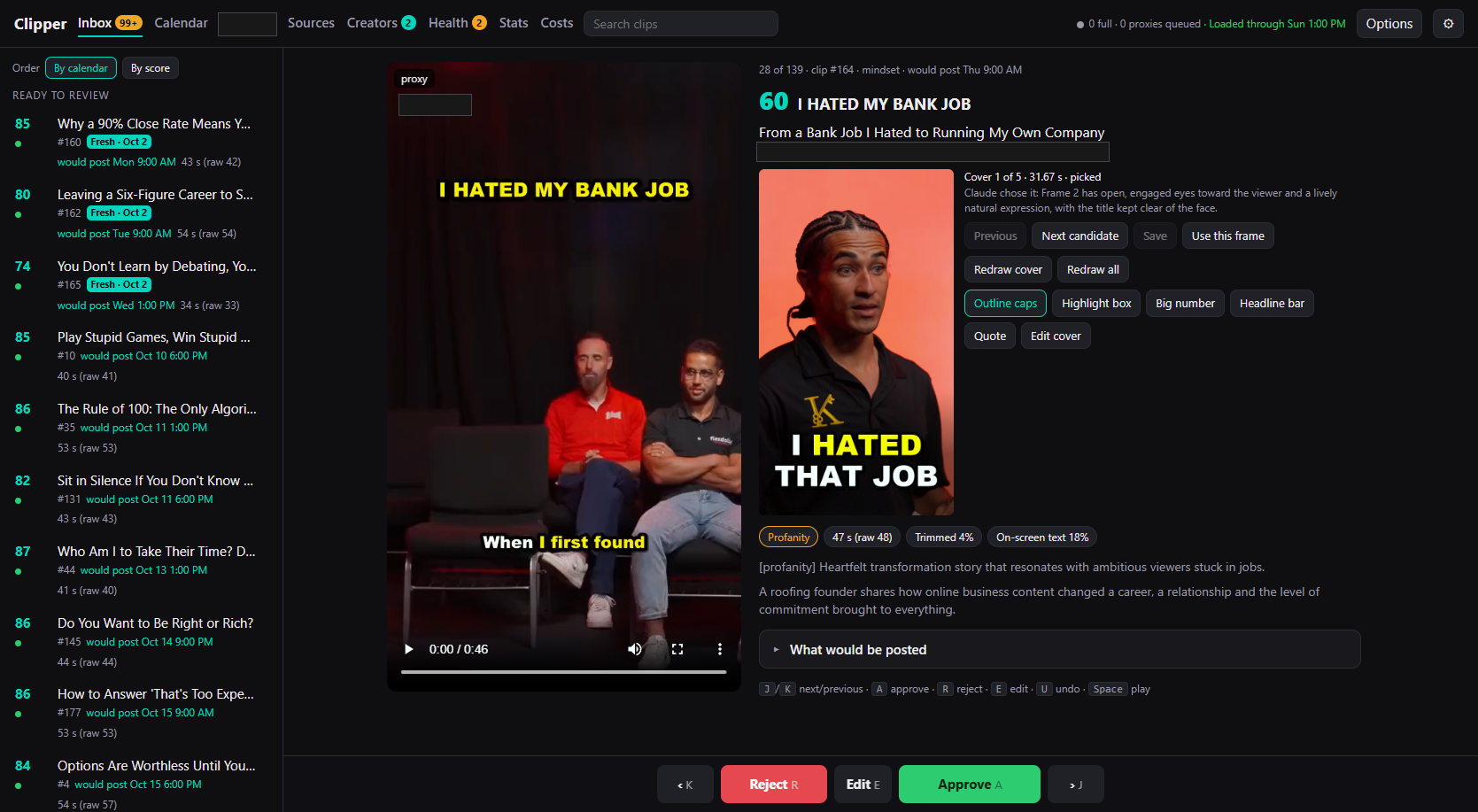
Two days after the first pipeline, the review page was replaced by a single-page app served by FastAPI on localhost. It was built in five slices, each one a pull request with its own review.
The slices
-
Inbox. Every candidate clip, ordered by calendar slot or by score. Each one plays as a low-resolution preview render, so review does not wait on a full-quality encode. Badges flag profanity, trim percentage, and how much of the frame is on-screen text. Keyboard shortcuts cover the whole flow: next, previous, approve, reject, edit, undo.
-
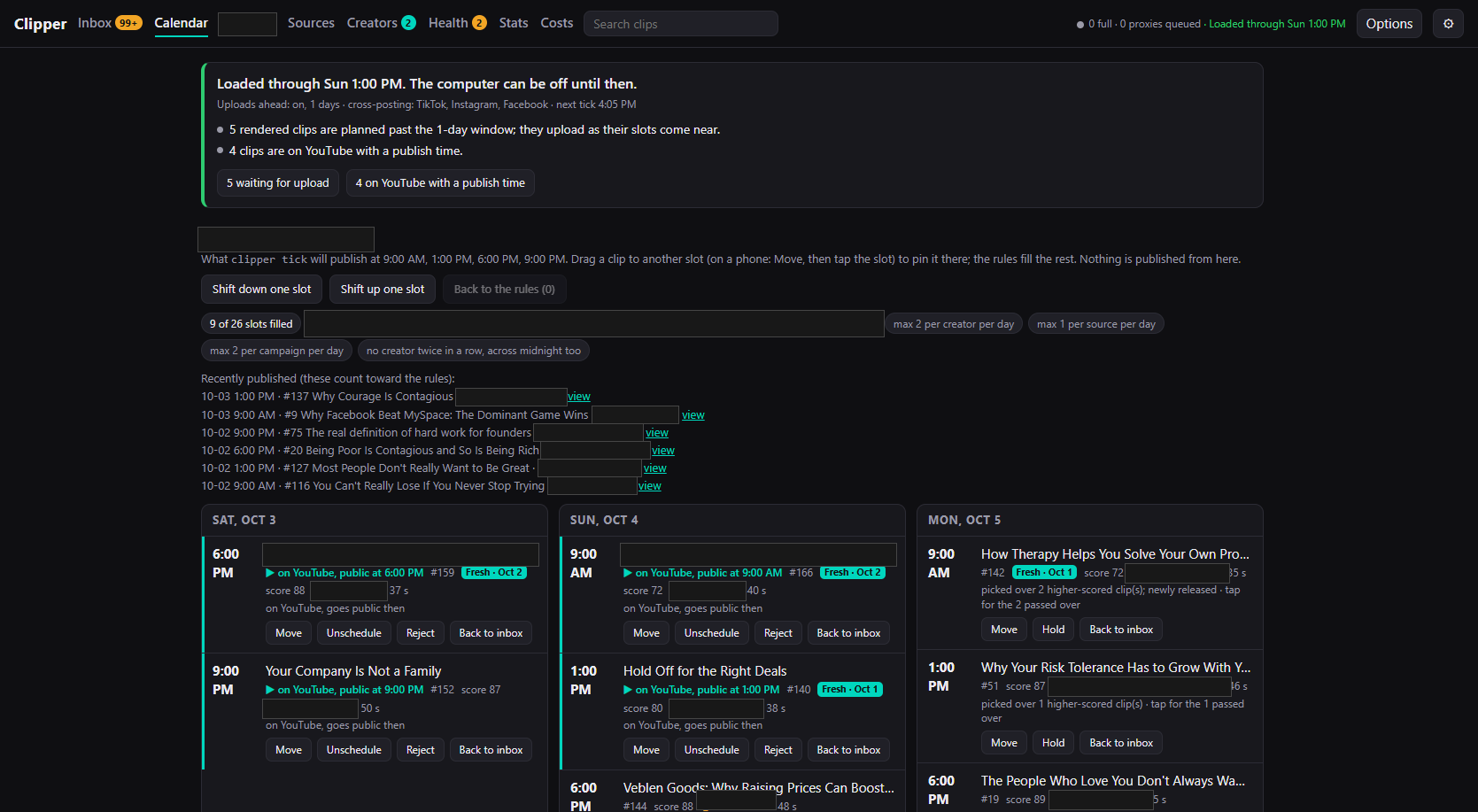
Calendar. A week of slots showing what the scheduled tick will publish and when. Clips can be moved, held, unscheduled, or sent back to the inbox. The page itself never publishes anything.
-
Campaign panel. For clips made under a creator’s campaign, the rules that apply to them and the submissions made so far.
-
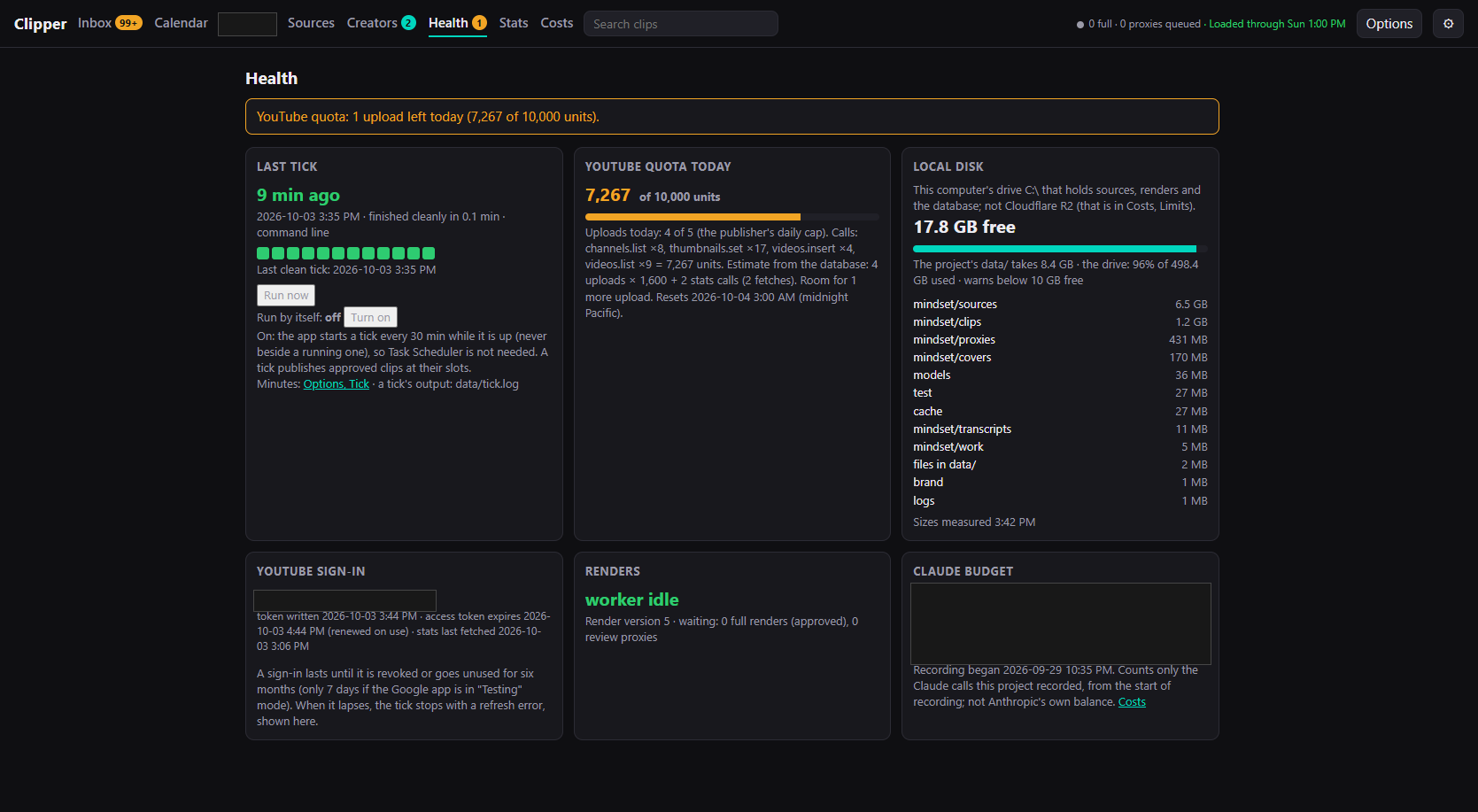
Health. The last tick and whether it finished cleanly, YouTube quota used today against the daily cap, free disk on the drive holding sources and renders, sign-in state, and the render worker’s queue.
-
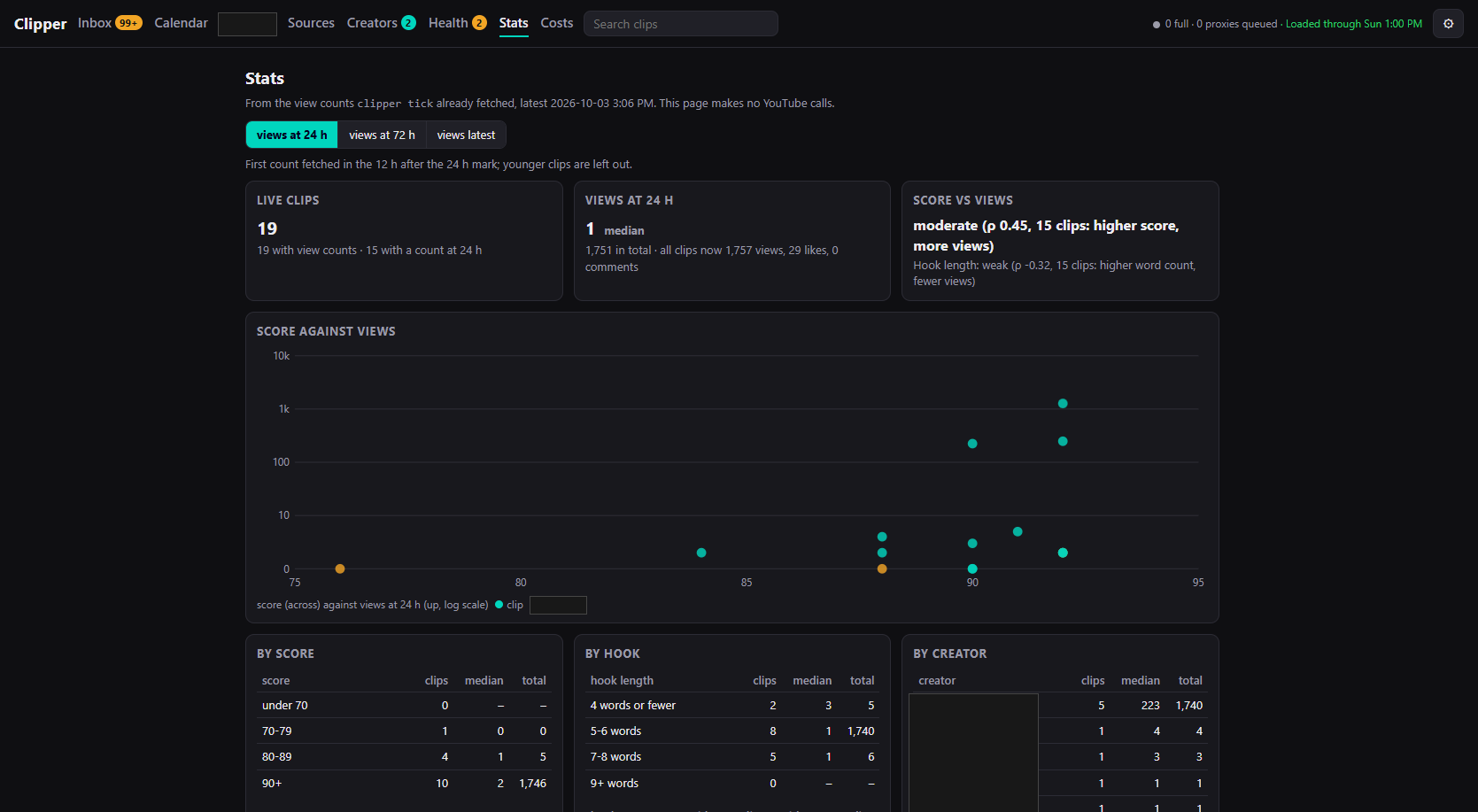
Stats. View counts fetched by the tick, broken down by score, by hook length, and by creator, with a scatter of score against views.
Why the app matters
The pipeline is fully automatic but the owner reviews every clip by hand. The app is where that happens, so its design has carried most of the later UI work: cover editing, options panes, long-form support, and a brand refresh all landed here.