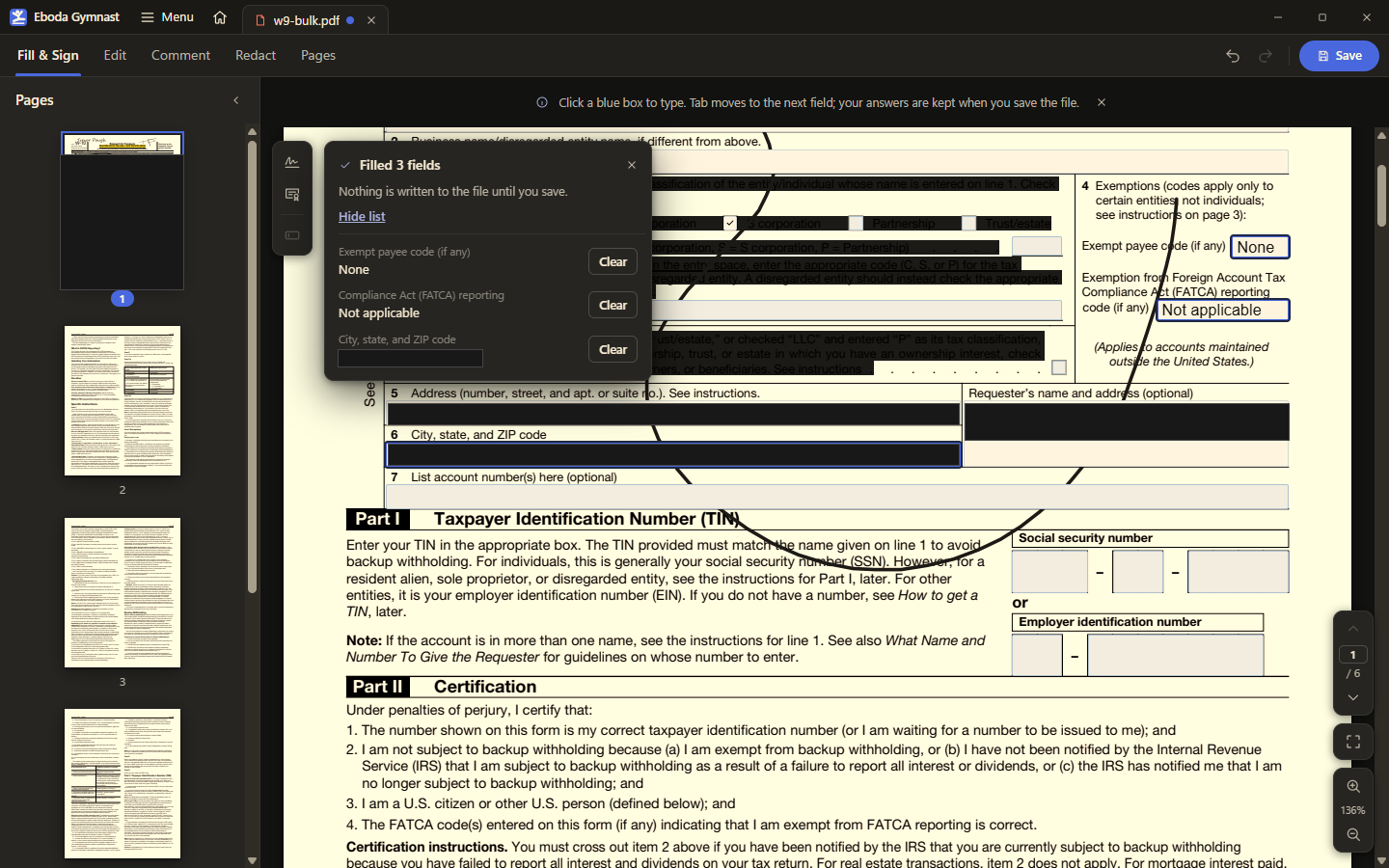
Forms you can fill arrived on day two, and from then on the app remembered what you typed: finish a field, and the answer was kept for the next form that asked the same thing. The missing half was the obvious one. If the app already knows your answers, it should be able to put them in for you.
What it does
The Fill & Sign toolbar gains one button. Press it and every empty field on the form is filled from the answers the app has learned, matched by the field’s full internal name first and then by its visible label, so a form from a different publisher that labels a box the same way still gets the right value. A short list shows what was filled, each line with its own Clear.
The rules about what it will not touch were settled before any code was written. Dates are skipped, because last month’s date is never the answer. Password fields are skipped. Locked fields, read-only fields, and anything already holding a value are left alone. The whole fill is one undo step, so a wrong guess is one keystroke to reverse, and, as the banner says, nothing is written to the file until you save.
Three rounds of review
The first review round was ordinary. The second found a bug that only shows in the rendering engine the app sits on: an editable dropdown that had been filled by the app stayed stuck on its choice, as if the user had never been allowed to change it. The fix was small and slightly absurd. The app now sends one keystroke to the field before replacing its text, which is enough to make the engine treat the value as typed rather than imposed. The third round passed.
Why now
The idea was parked on 8 October with the note “later, v1.x”. What moved it was not a plan but a mood. On 14 October the owner said two things in the space of a day: go ahead with the review follow-ups and keep working without their input, and, more generally, that they wanted development to move faster. The manager read that as licence to run the parked idea in the same parallel batch as the follow-ups to editing, signing, and scanning, and a fix branch from the first quality sweep. It is the first feature on this project to arrive without the owner asking for it by name.